Finding the right tool to manage your digital credentials can feel overwhelming, but choosing a password manager that fits your daily routine is the single best step you can take for your online security. By offloading the mental burden of remembering dozens of unique, complex strings, you gain both convenience and peace of mind.
This article explores how to select a service that balances high-level protection with the specific way you use your devices and browsers every day. You will learn exactly which features matter most for your personal workflow and how to evaluate different options to ensure your data remains protected without slowing you down.
Prioritizing Your Security Needs
The most important feature to look for in any tool is zero-knowledge encryption. This architecture ensures that even the company providing the service cannot see the contents of your vault. Your data is encrypted on your device before it ever reaches their servers, meaning your master password is the only key that can unlock your information.
If you are handling sensitive financial or work-related data, this is non-negotiable. Always verify that the service provider has a clear, public track record of transparency regarding their security protocols.
Beyond basic encryption, you should evaluate the available options for multi-factor authentication. A modern manager should support more than just SMS codes, which are susceptible to SIM-swapping attacks. Look for compatibility with hardware security keys or authenticator apps that utilize TOTP (Time-based One-Time Password) protocols.
These methods provide a much higher level of assurance than a simple text message. If you frequently switch between a desktop computer and a mobile phone, ensure the platform offers stable cross-platform synchronization so your latest credentials are always available wherever you happen to be working.
Evaluating Browser and Mobile Integration
Your daily routine likely involves moving between different web browsers and mobile apps throughout the day. A top-tier manager must offer efficient browser extensions that make signing into accounts feel instantaneous. These extensions should provide reliable autofill functionality that triggers automatically when you land on a recognized login page.
If the autofill is clunky or requires too many clicks, you will be tempted to revert to weaker, reused passwords. Test the extension’s behavior on the specific sites you visit most often to ensure it handles complex login forms correctly.
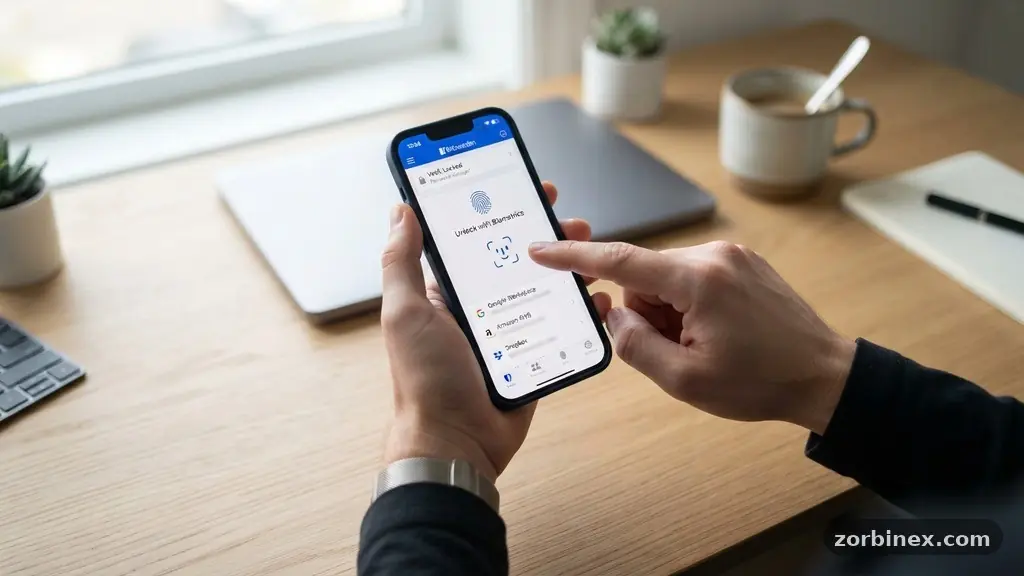
Mobile integration is equally vital for a modern digital workflow. Your chosen manager should provide a native mobile app that integrates with your phone’s operating system to fill credentials in third-party applications. Most users prefer biometric authentication, such as facial recognition or fingerprint scanning, to unlock their vault quickly.
This feature allows you to access your credentials in seconds without typing your long master password every single time. A good app should also allow you to generate new, complex passwords directly from the mobile interface, ensuring you never have to come up with a weak password on the fly.
Comparing Deployment Models
When deciding between different providers, you must choose between cloud-based vaulting and local-only storage. Most people find cloud-based services more convenient because they handle the synchronization across devices automatically. These services rely on end-to-end encryption to keep your data safe while it moves through the internet.
This is the standard for most personal users who want a “set it and forget it” experience. If you are a power user with specific privacy concerns, you might prefer a local-only approach.
Local-only storage keeps your encrypted database on your own hardware, often requiring manual synchronization tools like Dropbox or iCloud to move the file between devices. This approach gives you total control over where your data lives, but it increases the risk of data loss if you fail to maintain proper backups.
For most individuals, the ease of use provided by a reputable cloud service provider outweighs the technical control of a local-only setup. Consider how much technical maintenance you are willing to perform before committing to a storage model.
| Feature | Cloud-Based | Local-Only |
|---|---|---|
| Setup Difficulty | Low | High |
| Syncing | Automatic | Manual/Third-Party |
| Control | Provider Managed | User Managed |
| Primary Risk | Server Breach (Theory) | Hardware Failure/Loss |
Leveraging Advanced Features
A great password manager does more than just store credentials; it helps you actively improve your digital hygiene. A built-in password generator is essential for creating long, random strings that are impossible for humans to guess.
Look for tools that allow you to customize these generated passwords by length and character type, such as including special symbols or excluding ambiguous characters. Using a unique, high-entropy password for every single account is the strongest defense against credential stuffing attacks.
Many services also include a security audit feature that scans your vault for weak, reused, or compromised passwords. This dashboard provides a clear overview of which accounts need immediate attention. Some providers even offer vault sharing capabilities, which allow you to securely share specific logins with family members or colleagues without exposing your entire database.
This is particularly useful for shared household subscriptions or collaborative projects. Always check if these advanced features are included in the base price or if they require a premium subscription.
Understanding the Cost of Convenience
The pricing structures for these services vary, but most reputable providers offer a functional free tier for basic needs. If you require advanced features like cross-device syncing, priority support, or emergency access for family members, you will likely need a paid plan. Prices generally range from a few dollars a month to an annual fee that covers a household.
Before paying, investigate the company’s history regarding data breaches and their commitment to long-term software updates. You can often find detailed information on security standards through resources like the National Institute of Standards and Technology.
When you weigh the cost, consider the value of the time saved and the risk reduction provided by the software. A subscription that costs the same as a single streaming service can protect your entire digital life. Some services offer student discounts or bundles that can reduce the financial burden significantly.
Do not be tempted by “free” services that lack a clear, sustainable business model, as they may monetize your metadata in ways that compromise your privacy. Always prioritize companies that make their revenue through transparent subscription models rather than advertising or data mining.
Common Hurdles in Daily Usage
Even with the best software, you might encounter friction when transitioning your daily habits. One common issue is the initial migration of your existing, insecure passwords into the new system. Most managers offer import tools that can pull data from your browser’s built-in storage or CSV files.
Take the time to clean up your vault during this import process by deleting old accounts you no longer use. This is a perfect opportunity to declutter your digital life and reduce your attack surface.
Another hurdle is getting used to the “master password” requirement. Since this is the only password you will ever need to memorize, it must be exceptionally strong and unique. Many people use a passphrase consisting of four or five unrelated words to create a long, memorable, and secure key.
Never reuse this master password anywhere else, and consider writing it down on a piece of paper stored in a physical safe as a backup. If you lose access to your master password and your emergency recovery options, you will permanently lose access to your vault.
Frequently Asked Questions
What happens if I forget my master password?
Most reputable providers do not store your master password, meaning they cannot reset it for you. This is a deliberate design choice to ensure your privacy. You should set up an emergency access contact or store a recovery key in a physical location to prevent total data loss.
Are password managers safe to use on public Wi-Fi?
Yes, as long as you are using a reputable service that utilizes end-to-end encryption. Because your data is encrypted before it leaves your device, even a compromised network cannot intercept your credentials. However, always ensure your device’s operating system is fully updated to protect against local exploits.
Should I use the built-in browser password manager instead?
Browser-based tools are better than nothing, but they often lack the cross-platform flexibility and advanced security features of dedicated managers. A dedicated manager is usually more secure because it is not tied to your browser’s history or potential vulnerabilities. It also makes it much easier to manage credentials across mobile and desktop environments.
Can I share passwords with my partner?
Many modern managers offer secure vault sharing features. These allow you to grant access to specific items without revealing your master password. Always use the built-in sharing tools rather than sending credentials over email or messaging apps.
How often should I run a security audit?
It is a good habit to run a security audit at least once every few months or whenever you receive a notification about a major data breach. This ensures that any compromised passwords are changed immediately. Many services will also notify you automatically if your credentials appear in a known database leak.
Final Thoughts on Digital Safety
Choosing a password manager that fits your daily routine is a transformative step toward taking control of your digital security. By selecting a tool that offers reliable synchronization, strong encryption, and intuitive integration, you turn a tedious chore into an effortless background process. Remember that the best system is the one you actually use consistently.
Start by evaluating your specific device needs, set up a strong master password, and begin migrating your accounts to a more secure footing today. Your future self will appreciate the time and effort you invested in protecting your digital identity from modern threats.