Successfully sharing large files online without confusing recipients requires a shift in focus from the technical act of uploading to the human experience of receiving. When you send a massive video render, a high-resolution design package, or a folder of raw data, the recipient often encounters broken links, permission errors, or overwhelming download interfaces.
By prioritizing clear communication and choosing the right delivery method, you ensure your files arrive exactly as intended. This process transforms a potential source of frustration into a professional and efficient exchange of information.
Choosing the Right Transfer Method
The first step in simplifying the process is selecting a tool that matches the recipient’s technical comfort level. Not everyone understands how to use FTP or complex cloud synchronization folders.
Instead, focus on user-friendly file transfer services that provide a simple, direct download link. These platforms are designed specifically for one-off transfers where the recipient doesn’t need an account to access the content.
Comparing Common Delivery Options
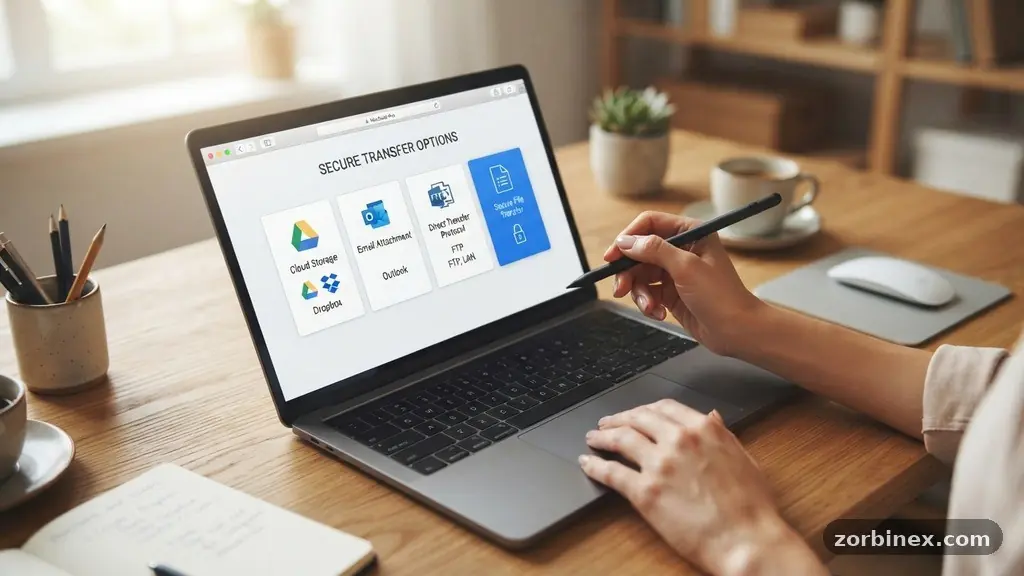
When you evaluate how to move data, consider the balance between security and ease of use. Cloud storage services like Google Drive or Dropbox are excellent for ongoing collaboration, but they can trigger “access denied” errors if you forget to adjust the sharing settings. Dedicated transfer services often provide a more streamlined experience for single-delivery tasks.
| Method | Best Use Case | Recipient Experience |
|---|---|---|
| Cloud Storage | Collaborative projects | Requires login or permission settings |
| Transfer Services | One-off large files | Simple “Download” button |
| Email Attachments | Small documents | Often blocked by server limits |
| FTP/SFTP | Technical workflows | Requires specialized software |
Managing Permissions and Access
Nothing confuses a recipient more than clicking a link only to be met with a request for login credentials. Before you hit send, verify your permissions management settings to ensure the link is set to “anyone with the link can view.”
This small detail prevents the back-and-forth emails that stall projects and frustrate collaborators. If you are sharing sensitive information, always opt for password protection rather than restricting access to specific email addresses.
Providing a password separately—perhaps via a quick text message or a different email thread—adds a layer of security without requiring the recipient to sign up for a new service. Clearly state in your email that the link will work for everyone without a login. This proactive communication eliminates the guesswork for the person on the other end.
The Importance of File Naming Conventions
A file named “Final_Draft_v3_REAL_final.zip” is a recipe for confusion. Recipients often struggle to identify which version is the most recent when naming conventions are inconsistent or overly complex.
Adopt a clean, descriptive system that includes the project name, the date, and the version number. This helps the recipient store the file correctly on their own machine.
* Use hyphens or underscores instead of spaces to ensure compatibility across different operating systems.
* Include a date in YYYY-MM-DD format to make files sortable chronologically.
* Clearly indicate the contents if the file is a collection of assets.
* Avoid using generic labels like “New Folder” or “Project Data.”
Understanding Bandwidth and File Compression
Large files can easily hit bandwidth limitations, causing downloads to stall or fail entirely for recipients with slower internet connections. Whenever possible, use file compression to bundle multiple assets into a single, manageable package. ZIP archives are the industry standard because they are universally recognized by Windows, macOS, and Linux systems.
By zipping your files, you reduce the overall data footprint, which speeds up the transfer process. It also helps the recipient keep their workspace tidy by grouping related items together. Always double-check that your compressed archive is not corrupted before sending it, as a damaged ZIP file is one of the most frustrating obstacles a recipient can encounter.
Setting Clear Expectations with Metadata
Providing context is just as important as the file itself. When you send a large file, include a brief summary in the email body explaining exactly what is inside the archive.
Mention the total file size, the type of software needed to open it, and any specific instructions for using the assets. This metadata—or descriptive information—acts as a roadmap for the recipient.
If the files are part of a larger workflow, explain how they fit into the bigger picture. For instance, note if the recipient needs to extract the files into a specific directory or if they should ignore certain subfolders. This level of clarity prevents the recipient from feeling lost or overwhelmed by a massive dump of unorganized data.
Using Expiration Dates to Your Advantage
Many professional file transfer services allow you to set expiration dates on your links. This feature is a powerful tool for decluttering your own digital footprint while simultaneously signaling urgency to the recipient. If a link expires in seven days, the recipient understands that they should download the content promptly.
This practice also enhances security by ensuring that sensitive data is not sitting on a server indefinitely. If you need to share files that require long-term access, stick to cloud storage solutions that support permanent links. However, for most project-based deliverables, an expiration date acts as a natural deadline that encourages timely action from your team.
Troubleshooting Common Recipient Issues
Despite your best efforts, some recipients may still struggle with technical hurdles. Be prepared to provide a “Plan B” if a link fails.
If a recipient reports that a link is broken, check your own upload status first to ensure the transfer completed 100%. Sometimes, corporate firewalls or aggressive antivirus software can flag links from unknown services.
If you encounter persistent issues, you can learn more about managing digital assets through resources like the National Institute of Standards and Technology, which provides guidance on secure file handling. Always maintain a calm and helpful tone when troubleshooting. Your goal is to be a partner in the process, not a source of additional technical stress.
Frequently Asked Questions
What is the safest way to send very large files?
The safest method involves using encrypted file transfer services that offer password protection. These platforms ensure that only the intended recipient can open the files, and they often use secure end-to-end encryption protocols to protect the data during transit.
How do I know if the recipient actually received the file?
Most professional file transfer services provide email notifications when the file is successfully downloaded. If you are using a standard cloud drive, you can often check the “activity” or “details” tab to see if the file has been accessed by the recipient.
Why do my email attachments always get rejected?
Email servers have strict file size limits, typically ranging from 10MB to 25MB. Any file exceeding this limit will be blocked by the mail server, which is why you should always use a dedicated transfer link for large assets rather than attaching files directly to an email.
Is it better to send a ZIP file or individual files?
Sending a ZIP file is almost always better for large transfers. It keeps the files organized, reduces the total file size, and ensures that the recipient downloads a single object rather than dozens of individual items, which reduces the chance of missing a file.
What should I do if the recipient cannot open my ZIP file?
This usually happens if the recipient does not have the necessary software or if the file was corrupted during the upload. Ask them to try a different browser or a standard tool like 7-Zip, and if that fails, re-upload the file to ensure the data is intact.
Refining Your File Sharing Workflow
Mastering the art of sharing large files online without confusing recipients is about empathy as much as it is about technology. By treating your file delivery as a professional service, you minimize friction and build trust with your colleagues.
Start by choosing a reliable, user-friendly platform that doesn’t require complex sign-ups. Use consistent, descriptive file names and always include a clear, concise email explaining exactly what the recipient is getting.
When you take the time to organize your data and communicate your process, you save everyone time and frustration. Test your links before sending them, and always be ready to offer a quick alternative if a technical glitch arises.
By applying these simple habits, you turn a routine task into an efficient, professional interaction that keeps your projects moving forward. Reach out to your recipients after the transfer to ensure everything arrived safely, and you will quickly become known as the most reliable person to work with.