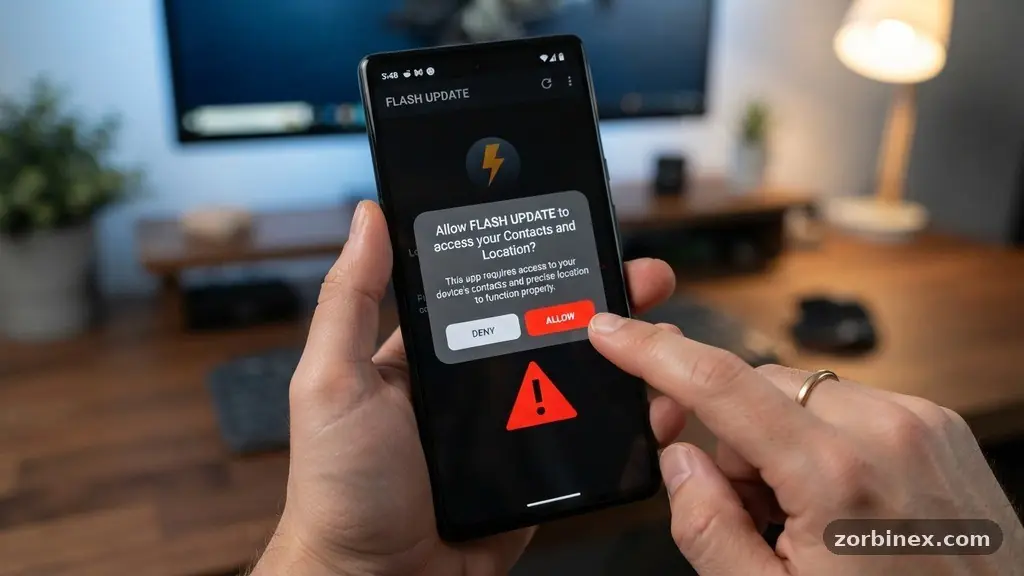
Learning the art of spotting Misleading Permission Requests in Mobile Apps is one of the most effective ways to protect your digital identity today. When you install a new program, a flurry of pop-ups often demands access to your hardware and personal files before you can even see the interface. Many users tap “Allow” out of habit, but this reflexive action can lead to unintended data harvesting.
By understanding why certain tools ask for specific data, you gain the power to refuse access without breaking the app’s core functionality. This article explains how to identify these deceptive prompts and keep your private information secure from unnecessary exposure.
Identifying Red Flags in Permission Prompts
The most common sign of a misleading request is a discrepancy between the app’s purpose and the access it demands. A simple flashlight app, for example, has no logical reason to request access to your contact list or microphone.
If you see such a request, you are likely looking at a case of data harvesting. Always pause when a prompt appears that seems unrelated to the features you intend to use.
Another major red flag is the use of vague or fear-based language in the permission explanation. Malicious developers sometimes claim that “full access is required for security features” or “app performance” when no such link exists.
If an app refuses to function unless you grant permission for something like your precise location or camera, it is often a sign of poor design or predatory intent. Legitimate developers follow the principle of least privilege, which means they only ask for what is strictly necessary.
Understanding the Mechanics of Runtime Permissions
Modern mobile operating systems have moved toward a model called runtime permissions to give users more control. Unlike the old “all-or-nothing” installation model, these requests appear only when you try to use a specific feature.
This shift is a major win for mobile security because it forces developers to justify their requests in the moment. When you trigger a camera icon inside a messaging app, the system asks for camera access right then.
If you find an app asking for a broad range of permissions immediately upon launch, it is often trying to bypass these safeguards. This behavior is a classic sign of an app designed to collect as much data as possible before you have a chance to evaluate its utility.
You should monitor your device’s settings periodically to see which apps have been granted access over time. Most modern operating systems now include a privacy dashboard that shows a historical log of when apps accessed your location, microphone, or camera.
Why Background Location Tracking is a Major Privacy Risk
Background location tracking is perhaps the most abused permission in the mobile ecosystem. Many apps request access to your location “always,” even when the app is closed, to build a profile of your daily habits.
Retail apps, for instance, might use this to track your visits to competitors or your commute patterns. This data is highly valuable to third-party trackers who sell it to advertisers for targeted marketing.
You should almost always set location permissions to “While Using the App” unless the utility truly requires constant tracking. If an app demands “Always Allow” to function at all, consider whether the trade-off is worth your privacy. You can often see the impact of these permissions by reviewing the following table of common app categories and their typical requirements:
| App Category | Commonly Required | Often Misleading/Excessive |
|---|---|---|
| Flashlight/Utility | None | Contacts, Location, Microphone |
| Photo Editor | Storage, Camera | Microphone, Call Logs, Contacts |
| Navigation | Location | SMS, Camera, Microphone |
| Messaging | Contacts, Microphone, Camera | Precise Background Location |
The Dangers of Permission Escalation
Permission escalation occurs when a seemingly benign app uses its initial permissions to gain further access to your sensitive user data. A calculator app might only ask for storage access initially, but it could use that access to read files where other apps store credentials or tokens.
Once a malicious actor has a foothold in your storage, they can look for vulnerabilities in other installed packages. This is why you should be cautious about granting broad file-system access to apps that do not need it.
Always check the developer’s reputation before granting expansive permissions, especially for apps that are not from well-known publishers. Malicious software often hides within “utility” apps that seem harmless but contain hidden code designed to exfiltrate information.
If an app frequently updates and asks for new permissions after an update, investigate the change logs. These updates are a common vector for adding data-harvesting features that were not present in the original version you downloaded.
How to Audit Your Device Settings
Regularly auditing your settings is the best way to maintain control over your digital footprint. You do not need to be a technical expert to perform a quick check of your privacy dashboard.
Most modern phones allow you to view a list of all installed apps and toggle their permissions individually. If you see an app that you haven’t used in months, remove it entirely rather than just revoking its permissions.
When you review your settings, look for apps that have access to “All Files” or “Device Admin.” These are high-level permissions that can allow an app to bypass normal security controls.
If you find an app with these permissions that you do not trust, delete it immediately. Taking this proactive approach prevents potential data leaks and ensures that your device remains a secure container for your personal life.
Common Tactics Used by Deceptive Developers
Deceptive developers often use psychological tricks to increase the likelihood that you will click “Allow.” They might use a friendly mascot to ask for permissions, or they might present the request as a “necessary step” to unlock a fun feature.
They may also use high-pressure language that makes you feel like you are missing out on important functionality if you decline. Always remember that you have the right to deny any request that feels intrusive.
Another tactic involves hiding the permission request behind a “Terms of Service” agreement that nobody reads. While this is technically legal in many jurisdictions, it is ethically dubious and often signals that the app’s privacy practices are poor.
You should look for a clear, concise privacy policy that explains exactly what data is collected and why. If an app lacks a privacy policy or hides it deep within a menu, treat it with extreme suspicion.
- Review permission requests during the initial setup of every new app.
- Audit your privacy dashboard at least once every three months.
- Deny location access to apps that do not clearly need it for navigation.
- Delete apps that demand permissions unrelated to their core features.
- Use built-in OS tools to restrict background data usage for suspicious apps.
- Always update your operating system to benefit from the latest security patches.
Frequently Asked Questions About App Permissions
Why does my calculator app want access to my location?
There is almost never a legitimate reason for a basic calculator to know where you are. This is likely an attempt to harvest location data for advertising purposes or to build a profile on your movements. You should deny this request and consider replacing the app with a more reputable alternative.
Can I safely deny all permissions to an app?
You can deny permissions to most apps, but some may become non-functional if they require a specific feature to operate. For example, a camera app will not work if you deny it access to the camera hardware. If an app crashes when you deny a request, it is up to you to decide if the app is useful enough to warrant granting access.
Does an app need my contacts to work?
Only if the app’s primary function is to help you communicate with people in your address book, such as a messaging or social networking app. If a game or a productivity tool asks for your contacts, it is almost certainly trying to scrape that data for marketing or spam campaigns. You should always deny this request unless you have a specific reason to trust the developer.
What are runtime permissions?
Runtime permissions are a security feature in modern mobile operating systems that ask for access to hardware or data only when the app needs it. This prevents apps from grabbing all your permissions at once during installation. It allows you to make informed decisions on a case-by-case basis as you use the app.
Conclusion
Taking control of your digital life starts with being mindful of the digital keys you hand out to every app you install. By learning the signs of deceptive requests, you can avoid common pitfalls and keep your personal data away from prying eyes. Remember that your device is an extension of your private life, and you have every right to protect it.
Spotting Misleading Permission Requests in Mobile Apps is not about being paranoid; it is about being an informed user who values their own privacy. Keep your software updated, audit your permissions regularly, and do not hesitate to delete any tool that does not respect your boundaries. Your data is your own, and with these simple habits, you can keep it that way for years to come.