Building a Simple Digital Filing System for Personal Documents is the most effective way to reclaim your time and reduce the daily stress of managing important paperwork. By transitioning from physical stacks of paper to a streamlined digital workflow, you ensure that vital records are secure, searchable, and always accessible when you need them.
Whether you are dealing with medical records, property deeds, or annual tax filings, a consistent approach prevents the dreaded clutter of an overflowing home office. This article provides a practical framework for creating your own sustainable system, helping you organize your life with confidence and clarity.
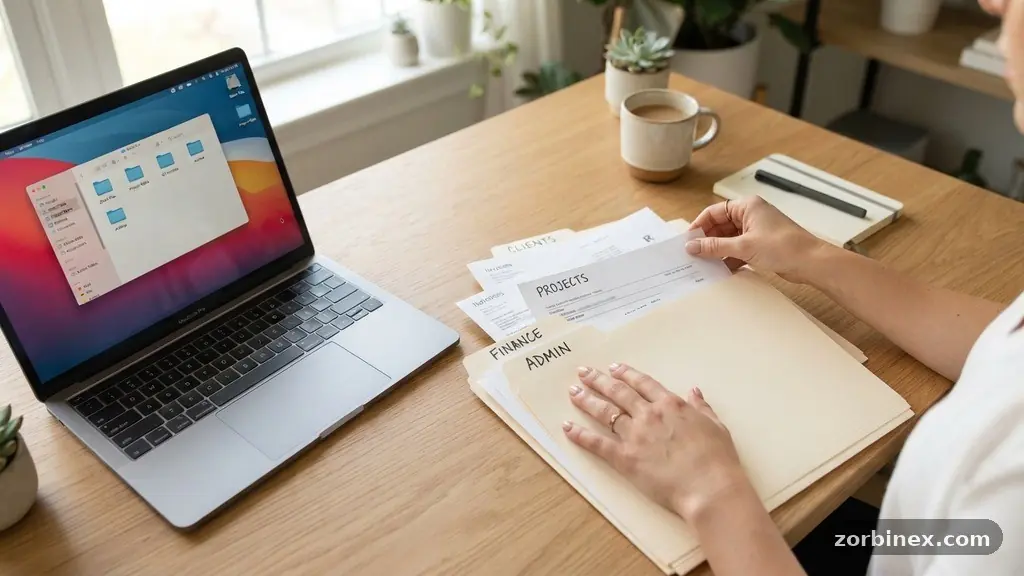
The first step in building a Simple Digital Filing System for Personal Documents is establishing a clear, logical folder structure that mirrors your actual life. You should avoid overly complex systems that require too much maintenance, as these often lead to abandonment. Instead, start with a high-level set of categories that cover the main areas of your financial and personal existence.
A good rule of thumb is to create top-level folders for major areas like “Financial,” “Medical,” “Property,” “Legal,” and “Personal Identification.” Within these, you can drill down into sub-folders to house specific items, such as bank statements or insurance policies.
Defining Your Primary Categories
Your top-level folders should be broad enough to encompass everything but distinct enough that you never have to wonder where a file belongs. For many people, the “Financial” category acts as the anchor for their digital organization, housing everything from investment reports to credit card statements. The “Property” folder is another essential, where you can keep records related to your home or vehicle, such as maintenance receipts, titles, and utility contracts.
By keeping these categories high-level, you reduce the mental friction required to save a new file. You want the act of filing to be a reflex rather than a deliberate, time-consuming project.
Refining Your Folder Hierarchy
Once your main categories are set, you can refine your folder hierarchy by adding a second layer of specificity. For instance, inside your “Financial” folder, you might create sub-folders for “Taxes,” “Bank Statements,” and “Investment Records.” This nesting strategy keeps your root directory clean and prevents your main view from becoming cluttered with hundreds of individual files.
Consistency is the primary goal here, as it allows you to predict exactly where a document should reside before you even open your file manager. If you find yourself frequently questioning where to put a specific item, it is a sign that your hierarchy needs to be simplified further.
Effective file naming conventions are the backbone of any reliable document management strategy. If you save every file as “Scan_001.pdf,” you will eventually lose the ability to find anything without opening every document. A consistent format allows your operating system’s search function to work with precision, even if you forget which folder a specific file occupies.
You should aim for a naming structure that includes the date, the document type, and the entity involved. For example, a file saved as “2024-05-12_Invoice_ElectricCompany.pdf” is instantly identifiable, searchable, and sorted chronologically by your computer.
Standardizing Your Naming Syntax
The most robust naming convention typically follows a YYYY-MM-DD format, as this ensures that files always sort in chronological order regardless of the file name. By placing the date at the front, you eliminate the confusion of files jumping around when you change your sorting preferences. Following the date, use a descriptive label that identifies exactly what the document is, such as “Receipt,” “Contract,” or “Statement.”
Finally, identify the source or the person the document relates to. This three-part structure—date, type, and source—is sufficient to categorize nearly every piece of personal documentation you will ever possess.
Leveraging Search and Metadata
Modern operating systems and cloud storage providers have powerful built-in search tools that can index the text inside your documents. If you adopt a consistent naming convention, you are providing these search engines with the best possible data to work with. Furthermore, you can use tags or metadata to add extra context to files that might fit into multiple categories.
Many digital organization tools allow you to apply custom tags to files, which can act as a cross-referencing system. This is particularly useful for tax-related items, where a document might belong in a “Medical” folder but also needs to be flagged for “Tax Deductions.”
Document scanning is the bridge between your physical life and your digital records. To maintain a truly simple system, you need a way to digitize paper files quickly without creating a bottleneck in your routine. High-quality scanning apps for smartphones have largely replaced the need for bulky flatbed scanners, allowing you to capture documents on the go.
When you scan a document, look for apps that include optical character recognition, or OCR, which converts the image of text into machine-readable data. This technology is essential because it allows you to search for specific words or numbers inside your scanned PDFs, making your digital library fully indexed.
Choosing the Right Scanning Tools
You do not need expensive hardware to get started with professional-grade scanning. Most modern smartphones are equipped with cameras that are more than capable of producing clear, high-resolution PDFs. Apps that offer automated edge detection and perspective correction will save you significant time by squaring up your documents and removing background noise.
You can find more information on the standards and best practices for digital archiving through the National Archives and Records Administration. Using reliable software ensures that your digitized files meet long-term readability requirements.
Processing Your Paper Backlog
The biggest hurdle for most people is the initial backlog of physical paper that has accumulated over the years. Do not try to scan everything in a single weekend, as this will lead to burnout and frustration. Instead, adopt a “scan-as-you-go” policy for all new incoming mail, and tackle the backlog in small, manageable batches.
Set aside thirty minutes each week to process a single folder or a specific stack of papers. This gradual approach turns an overwhelming project into a sustainable habit, ensuring that your digital filing system remains current and organized without dominating your free time.
A robust backup strategy is non-negotiable when your entire personal archive is stored in a digital format. If you rely on a single computer or hard drive, you are one hardware failure away from losing everything. A common industry recommendation is the 3-2-1 rule: keep three copies of your data, on two different media types, with one copy stored off-site.
Cloud storage services provide a simple way to satisfy the “off-site” requirement, as they automatically handle the synchronization of your files across multiple devices. This ensures that even if your laptop is lost or damaged, your documents remain safe and accessible via the cloud.
Implementing File Synchronization
File synchronization is the process of keeping your files identical across every device you use. When you save a document to your synchronized folder, it is instantly uploaded to the cloud and pushed to your smartphone, tablet, or secondary computer. This level of accessibility means you can pull up your passport, insurance card, or lease agreement while you are away from home.
However, you must be careful to choose a provider that offers strong security features. Look for services that support two-factor authentication and provide clear controls over who can access your shared folders.
Encryption and Security
When dealing with sensitive personal information, security must be a primary consideration. You should ensure that your sensitive files, such as tax returns or social security documents, are stored in encrypted environments. Many cloud storage providers offer “at-rest” encryption, which protects your data even if the provider’s servers are compromised.
For an extra layer of security, consider encrypting individual sensitive files before uploading them to the cloud. This ensures that even if your cloud account is accessed by an unauthorized party, your most private financial and legal documents remain unreadable.
Managing tax documents requires a more specialized approach than day-to-day filing. Because tax compliance depends on your ability to produce receipts, statements, and forms at a moment’s notice, your tax folder should be the most organized section of your system. Throughout the year, you should actively move relevant receipts and financial statements into a folder labeled “Tax Year [Current Year].”
By the time the filing season arrives, you will have a ready-to-use archive of every document needed for your return. This proactive organization eliminates the stress of gathering records in a rush during the spring.
Categorizing Tax Records
Within your tax folder, it is helpful to organize documents by the category used on your tax forms. This makes it much easier to reconcile your expenses and income when you are filling out your returns. The following table provides a breakdown of common tax-related documents that should be kept in your digital archive.
| Document Type | Retention Period | Importance |
|---|---|---|
| W-2 and 1099 Forms | 7 Years | Essential for filing |
| Business Expense Receipts | 3-7 Years | Required for deductions |
| Investment Records | Until Sale + 3 Years | Basis tracking |
| Property Tax Records | Duration of Ownership | Proof of payment |
Maintaining Long-Term Records
Some documents, such as tax returns, birth certificates, and property deeds, should be kept for much longer than standard financial receipts. Your digital organization system should include a “Permanent Records” folder for these irreplaceable items. Since these documents are rarely accessed but vital for legal or historical purposes, keep them in a separate, highly secure location within your file structure.
Always remember that for permanent records, a digital copy is a supplement to—not a total replacement for—your original hard-copy documents. Keep the originals in a fireproof safe, but ensure the digital copies are backed up in at least two separate geographic locations.
Electronic records management for personal use is a skill that evolves as your life changes. As you accumulate more files, your initial folder structure might become inefficient, and you should not be afraid to adapt it. Periodically review your files to archive old folders that are no longer relevant to your current situation.
For example, once a project is finished or a year has passed, move those documents into an “Archive” folder to keep your active workspace lean. This simple act of digital housekeeping keeps your system fast and prevents your search results from being cluttered with outdated information.
Common Pitfalls to Avoid
Many people fail because they try to make their digital filing system perfect on the first day. Avoid the temptation to spend hours creating intricate sub-folder structures for files you do not even have yet. Start simple, and add complexity only when you find a genuine need for it.
Another common mistake is failing to delete junk files. If you keep every single email attachment or low-value document, your search results will become noisy and less effective. Be ruthless about deleting files that serve no long-term purpose, such as temporary shipping confirmations or outdated newsletters.
Building Sustainable Habits
The true success of your digital filing system lies in your ability to maintain it consistently. Try to process your “Inbox” folder—a designated spot for incoming digital files—at least once a week. Spend five minutes dragging and dropping these files into their permanent homes using your established naming convention.
This small, regular commitment prevents the “digital mess” from accumulating. When filing becomes a standard part of your weekly routine, it stops being a chore and becomes a natural, almost invisible part of your digital life.
How often should I back up my files?
You should aim for an automated backup strategy that runs in real-time or at least once every 24 hours. Most cloud storage services handle this automatically, which is why they are recommended for personal document management.
What if I lose my phone with my scanning app?
If you use a cloud-based scanning app, your documents are linked to your account, not just your device. Simply log into your account on a new device to regain access to your entire archive immediately.
Is it safe to store my social security card online?
Storing sensitive identity documents online is safe if you use a secure, encrypted cloud provider and enable multi-factor authentication. You should also consider encrypting the specific file before uploading it for maximum privacy.
Do I need to keep the paper copies?
For most day-to-day documents like receipts and statements, digital copies are sufficient for tax and record-keeping purposes. However, you should always keep physical originals of vital legal documents, such as birth certificates, marriage licenses, and property titles, in a secure, fireproof location.
How do I handle documents that are not in PDF format?
Whenever possible, convert non-PDF files into PDF/A format, which is designed for long-term digital preservation. Most modern scanners and document management apps have a setting to output files directly as high-quality PDFs, which are the industry standard for document archiving.
Building a Simple Digital Filing System for Personal Documents is a transformative practice that provides peace of mind and operational efficiency. By selecting a clear folder structure, adhering to consistent naming conventions, and utilizing reliable cloud-based backups, you create a system that works for you rather than against you.
Start by digitizing your most important current files and gradually work through your historical backlog as time permits. Remember that the best system is the one you actually use, so prioritize simplicity and ease of access over complexity.
As you become more comfortable with your digital workflow, you will find that managing your personal affairs requires less effort and significantly less physical space. You will gain the ability to locate any document in seconds, whether you are preparing for tax season or simply checking a past transaction.
Take the first step today by creating your primary folder structure and committing to a weekly maintenance routine. Your future self will thank you for the clarity, control, and organization you have brought into your daily life through these simple digital habits.