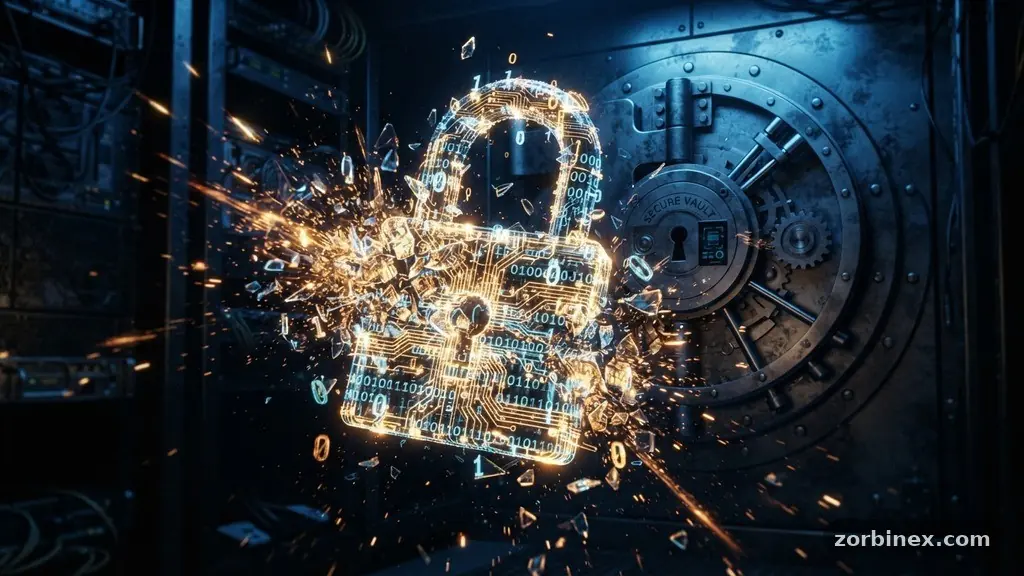
Understanding why two-factor authentication matters even when you use strong passwords is the most effective step you can take to secure your digital life. Many people believe that a complex, unique password is a sufficient shield against hackers, but modern cyber threats have evolved to bypass these traditional defenses. Even the most sophisticated password can be compromised through large-scale data breaches or targeted deception.
By adding a second layer of verification, you ensure that your accounts remain secure even if your primary credentials fall into the wrong hands. This article explores the mechanics of these threats and explains why a multi-layered approach is no longer optional in our increasingly interconnected world.
The Myth of the Invincible Password
Many internet users operate under the false assumption that a long, random string of characters makes them immune to intrusion. While a strong password is a foundational element of security, it is not a silver bullet against modern hacking techniques.
Cybercriminals rarely sit at a computer trying to guess your password character by character. Instead, they rely on automated tools and leaked databases to gain entry to your accounts.
Credential stuffing is a primary reason why two-factor authentication matters even when you use strong passwords. In these attacks, bad actors take lists of usernames and passwords leaked from one site and automatically test them against hundreds of other platforms.
If you reuse your password anywhere—even on a low-security forum—you are effectively handing the keys to your bank account to a criminal. Because humans tend to recycle credentials, a single breach elsewhere can compromise your most sensitive accounts.
Brute-force attacks have also become significantly more efficient with the advent of cloud computing. Modern processing power allows hackers to run millions of password combinations per second against a target login page.
While complex passwords take longer to crack, they are not mathematically impossible to defeat given enough time and resources. Relying solely on a password ignores the reality that your login data is often stored on third-party servers, which are constant targets for sophisticated data breaches.
How Phishing and Social Engineering Bypass Passwords
Even if your password is impossible to guess, it can be stolen through human error. Phishing remains the most common method for attackers to acquire legitimate login credentials.
You might receive an email that perfectly mimics your bank, urging you to “verify your account” by clicking a link. If you enter your password on the fake site, the attacker has it instantly, regardless of how many symbols or numbers you included.
Social engineering takes this manipulation a step further by targeting the person rather than the machine. Attackers may call your phone, pretending to be technical support or a company representative, and convince you to hand over your login details.
Once they have your credentials, they can log in as if they were you. This is why two-factor authentication matters even when you use strong passwords; it introduces a physical or device-based barrier that the hacker cannot easily bypass through conversation or trickery.
The goal of these attacks is often account takeover protection failure, where the attacker gains full control over your digital identity. Once they are inside, they can change your recovery email, set up a new password, and lock you out permanently.
By requiring a second form of verification—such as a push notification or a physical security token—you stop the attacker in their tracks. Even if they have your password, they cannot complete the login without the second factor that is physically tied to you.
Understanding the Layers of Multi-Factor Authentication
Multi-factor authentication (MFA) works by requiring two or more independent categories of evidence to prove your identity. These categories are typically classified as something you know, something you have, or something you are.
A password falls into the “something you know” category, which is the weakest of the three because it can be guessed, stolen, or phished. Adding a second factor elevates your security posture significantly.
The most common forms of secondary verification include TOTP (Time-based One-Time Password) apps, SMS-based verification, and hardware-based security tokens. TOTP apps, like Google Authenticator or Authy, generate a new code every 30 seconds that is synchronized with the service provider.
This is significantly more secure than SMS-based verification, which can be intercepted through a process known as SIM swapping. In a SIM swap attack, a hacker convinces your mobile carrier to transfer your phone number to a device they control.
Hardware security tokens, such as Yubikeys, represent the gold standard for personal security. These devices must be physically plugged into your computer or tapped against your phone to grant access.
Because the device never leaves your possession, it is virtually impossible for a remote attacker to gain access to your account. This is the ultimate realization of why two-factor authentication matters even when you use strong passwords, as it effectively renders stolen passwords useless.
Comparing Common Authentication Methods
To understand the practical differences between these security layers, it helps to compare how they function in real-world scenarios. Each method offers a different balance of convenience and protection against unauthorized access.
| Authentication Method | Security Level | User Convenience | Primary Risk |
|---|---|---|---|
| Password Only | Low | High | Credential theft |
| SMS Verification | Medium | High | SIM swapping |
| TOTP App | High | Medium | Device compromise |
| Hardware Token | Very High | Low | Physical loss |
As the table shows, the most secure options often require a slight trade-off in convenience. However, the risk of a full account takeover far outweighs the few seconds it takes to tap a security key or check an app for a code.
When you consider the impact of identity theft, the effort required to manage a secondary factor is a minimal price to pay for peace of mind. Most users find that once the habit is formed, the extra step becomes a seamless part of their daily routine.
The Role of Password Managers in Modern Security
You might wonder how to manage dozens of unique, complex passwords without losing track of them. This is where password managers become an essential partner to two-factor authentication.
A password manager stores all your credentials in an encrypted vault, allowing you to generate long, random strings that you never have to remember. Using one ensures that you never reuse a password across different sites, which is a critical defense against credential stuffing.
When you use a password manager, you only need to remember one strong master password. It is vital that this master password is as secure as possible and that you enable two-factor authentication on the password manager account itself.
If your password manager is compromised, the attacker would have access to every single one of your digital accounts. Protecting the vault is the single most important security task you can perform.
Many modern password managers now offer built-in support for TOTP codes. This means the app can act as both your password storage and your second-factor generator.
By centralizing these tools, you reduce the complexity of your security setup while simultaneously increasing your protection. It creates a unified security workflow that makes it easy to maintain high standards of digital hygiene across all your platforms.
Preventing Session Hijacking and Advanced Threats
Even when you successfully log into a site, your session can be vulnerable. Session hijacking occurs when an attacker steals your session cookie—a small piece of data that tells a website you have already logged in—and uses it to impersonate you. If an attacker gains your cookie, they can bypass the login screen entirely, skipping the need for a password or a second-factor check.
This is where advanced security measures like zero trust architecture come into play. Zero trust assumes that no user or device should be trusted by default, even if they are already inside the network.
It requires continuous verification for every access request, making it harder for an attacker to maintain a persistent connection even if they have stolen a session cookie. While this is more common in enterprise environments, personal users can benefit by regularly clearing browser cookies and logging out of sensitive accounts.
Biometric authentication, such as fingerprint or facial recognition, adds another layer of defense that is tied to the physical user. Because biometrics are difficult to replicate, they provide a strong barrier against remote attackers.
Many modern devices combine biometrics with a hardware-based security chip, ensuring that your identity is verified locally on the device before any data is sent to the service provider. This approach prevents attackers from using stolen data to impersonate you from a different location.
Building a Habit of Security
Integrating these tools into your life is a process of building new habits rather than learning complex technical skills. Start by enabling two-factor authentication on your most sensitive accounts: your primary email, your banking portals, and your social media profiles. Your email is the “master key” for your entire digital identity; if a hacker gets into your email, they can reset the passwords for almost every other service you use.
Once you have secured your email, move on to your financial accounts and password manager. Many services now make it incredibly simple to set up, often taking less than two minutes to configure.
If you are worried about losing your second-factor device, almost all platforms provide a set of “backup codes” during the setup process. Print these out or store them in a secure, offline location to ensure you can always regain access to your accounts.
Remember that security is not a destination but a continuous process of maintenance. Periodically review which apps and websites have access to your accounts and remove any that you no longer use.
By keeping your security tools updated and staying vigilant against phishing attempts, you build a resilient digital presence. Understanding why two-factor authentication matters even when you use strong passwords allows you to take control of your digital safety with confidence.
Frequently Asked Questions
What should I do if I lose my second-factor device?
Most services provide backup codes or recovery options when you first set up two-factor authentication. Always store these codes in a physical, secure location like a home safe or a locked file cabinet. If you haven’t saved your codes, contact the service provider’s support team, as they often have a formal identity verification process to help you regain access.
Is SMS-based verification safe enough?
While SMS is better than using a password alone, it is vulnerable to SIM swapping and interception. It is considered the least secure form of two-factor authentication compared to TOTP apps or hardware tokens. If a service only offers SMS, it is still worth enabling, but you should move to an app-based method whenever the platform allows it.
Do I need two-factor authentication for every single website?
You should prioritize your most sensitive accounts first, such as banking, email, cloud storage, and social media. While it is ideal to enable it for every site, you can focus on accounts that contain personal, financial, or private data. Using a password manager with built-in two-factor support makes it much easier to scale this protection to more websites.
Can two-factor authentication be bypassed by hackers?
While it is much harder to bypass, no system is entirely impenetrable. Sophisticated “man-in-the-middle” attacks can sometimes trick users into providing their second-factor code on a fake site. This is why you should always double-check the URL of the website you are visiting before entering any credentials or codes.
What is the difference between a TOTP app and a push notification?
A TOTP app generates a temporary code that you must manually type into the login screen. A push notification is a more modern approach where you simply tap “Approve” on your phone when prompted. Both are significantly more secure than SMS, though push notifications are generally more convenient for the user.
Conclusion
Securing your digital identity requires more than just a complex password. As cyber threats like credential stuffing and phishing continue to rise, relying on a single layer of defense is a significant risk.
By implementing secondary verification, you create a necessary buffer that protects your accounts even if your primary password is compromised. Understanding why two-factor authentication matters even when you use strong passwords helps you prioritize the right security habits and protect your most valuable personal information.
The transition to a multi-layered security strategy is an empowering step that provides genuine protection against modern attackers. Start today by enabling two-factor authentication on your email account and your password manager.
These small, deliberate actions will significantly harden your defenses and give you the peace of mind you deserve. Keep your recovery codes safe, stay alert for suspicious emails, and continue to prioritize your privacy in every digital interaction you have.